Accessibility
Accessibility Statement
In short
This site is built to meet WCAG 2.2 level AA. Semantic structure, keyboard operation, visible focus, checked contrast pairs, reduced motion support, forty eight pixel touch targets, a skip link, and real alt text are all implemented. The embedded map is a known limitation.
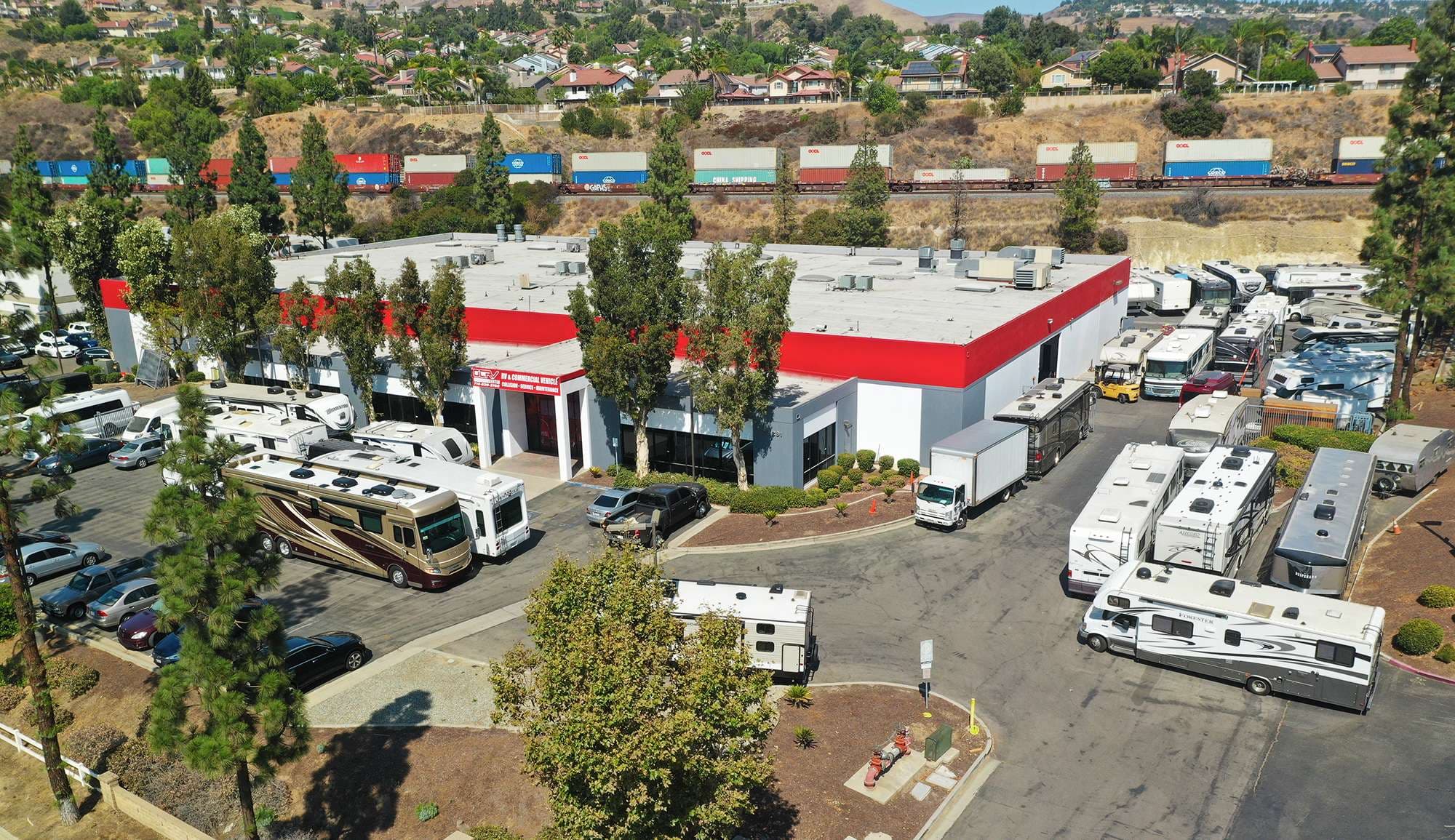
A person looking for a repair shop is frequently doing it under stress, sometimes on a phone, standing next to a damaged vehicle. Making this site work for everyone in that situation is not a compliance exercise, it is the same problem as making the rest of the business work. This page states what we are aiming at, what is actually in place, what is not, and how to tell us when something blocks you.
Our target is the Web Content Accessibility Guidelines version 2.2 at level AA. We treat that as a floor rather than a finish line, and we treat a report from a real person using a real assistive technology as more important than any automated score, because automated checking finds a minority of the problems that actually stop people.
Implemented
What has been built into this site
Each of these is a decision in the code rather than an aspiration.
| Area | What is in place |
|---|---|
| Semantic structure | Real headings in order, lists marked as lists, tables with header cells, landmarks for header, navigation, main, and footer, and a single main region per page. |
| Skip link | A skip to main content link is the first focusable item on every page and becomes visible when it receives focus. |
| Keyboard operation | Every interactive element can be reached and operated with a keyboard alone. Expandable answers use native disclosure elements, which are keyboard accessible without any script. |
| Visible focus | A focus indicator is drawn for keyboard users on every focusable element, and it is not removed for styling reasons anywhere in the stylesheet. |
| Contrast | Text and interface colors are drawn from a defined token set with the foreground and background pairs checked against the level AA contrast thresholds. |
| Touch targets | Buttons and primary links are built to a minimum height of forty eight pixels so they can be operated accurately on a phone. |
| Reduced motion | Animation and transition behavior is suppressed when the operating system reports a reduced motion preference. |
| Text alternatives | Every meaningful image carries alt text written to describe the photograph for a screen reader rather than to repeat a page keyword. Decorative images are hidden from assistive technology. |
| Forms | Every field has a persistent visible label rather than a placeholder used as one, errors are announced in text rather than by color alone, and the submission result is conveyed in words. |
| Zoom and reflow | Pages reflow at increased zoom without horizontal scrolling. Wide tables scroll inside their own container so the page itself never does. |
| Language and titles | A page language is declared in the markup and every page has a unique, descriptive title so screen reader users can tell pages apart from a list. |
| Link text | Links describe their destination rather than saying click here, so a list of links pulled out of context still makes sense. |
Approach
Why the site is built the way it is
The largest single accessibility decision here was to build with plain markup and very little script. Expandable answers use the browser's own disclosure element, which is keyboard operable, announced correctly by screen readers, and works when script fails. Navigation is links. Tables are tables. Nothing is a button pretending to be something else. Most accessibility failures on modern sites come from reimplementing a control the browser already provides, so the simplest defense is not to.
The second decision was to write alt text for a person rather than for a search engine. An image of a technician documenting a repair is described as an image of a technician documenting a repair, not as a keyword phrase. If you use a screen reader, you should be able to follow what the photographs on a page actually depict, and if any of them fail that test, we would like to hear about it specifically.
The third was performance, which is an accessibility issue that rarely gets filed as one. A page that loads slowly on a weak connection is inaccessible to the person on that connection, regardless of how correct its markup is. That is a large part of why video is linked rather than embedded, why there are no advertising or social trackers, and why analytics do not load until a visitor consents.
Known limitations
Where this site does not fully meet the standard
The embedded map on the contact page is the main one. It is served by a third party mapping provider inside a frame, which means its internal controls, its keyboard behavior, and its contrast are outside our control and are not something we can correct. We label the frame so it is identifiable to assistive technology, and we make sure the information the map conveys is never only available from the map.
The practical mitigation is that the facility address is written in plain text on the contact page, in the footer of every page, and on our repair paperwork: 23281 La Palma Ave, Yorba Linda, CA 92887. Directions, gate access, and where to bring a large vehicle are all things we would rather explain on the phone anyway, because a coach or a tractor trailer has arrival considerations that no map communicates. Call (949) 799-3387 and we will talk you in.
Two smaller limitations are worth stating honestly. Some photographs of repair work are detailed enough that no reasonable alt text fully conveys them, so where an image carries real information we describe that information in the surrounding text as well. And some older material published before the current standards were applied may not be fully conformant. When we find such a page, we fix it, and a report from you moves it to the front of that queue.
Reporting
How to report a barrier, and what happens next
Email info@ocrvcenter.com with accessibility in the subject line, or call (949) 799-3387. Tell us the page address, what you were trying to do, and what stopped you. If you can, mention the browser, the operating system, and the assistive technology you were using, because that turns a report we have to reproduce into one we can fix. A description in your own words is completely sufficient. You do not need technical vocabulary and you certainly do not need to cite a success criterion.
We acknowledge reports and tell you what we found. If it is something we can correct, we correct it and let you know when it is live. If it is in the third party map or in another component we do not control, we will say so plainly rather than leaving you waiting, and we will describe the alternative route to the same information. If we disagree that something is a barrier, we will explain our reasoning rather than going quiet.
If the website is in your way and you need the information anyway, skip it and call. (949) 799-3387 during business hours reaches someone who can answer any question this site answers, and quite a few it does not. Nothing here is available only to people who can use a website, and no part of our service depends on your being able to complete a web form.